Connector Designer™ Connector Editor
Optional Software - Catalog Item 707
The CableEye® Connector Designer ™ connector editor software lets you create custom graphic images for unusual connectors not found in our library.
This application aims primarily at the many and varied kinds of circular connectors found in military and aerospace applications and permits you to choose a graphic size, position, and pin numbers, as necessary.

Create a Wire Frame Graphic or Import your own Image
The software will create a wire frame image, or will accept your photographic image of a connector in .png or .bmp form (as shown on the right), over which you may apply the pins and pin numbering if pin designations don't appear in the photo.

Next Topic | Previous Topic | Top
Connector Design and Properties
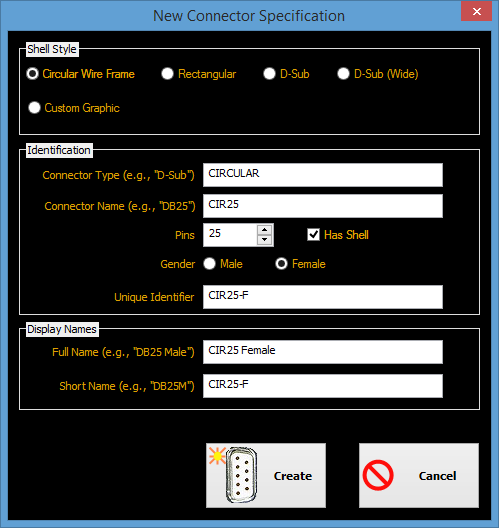
Easily create a new connector by defining its name, shell type, gender and number of pins.
Then define the size of the graphic, gender of pins and the initial position for the reference pins.
All this within seconds!
Next Topic | Previous Topic | Top
Position Pins on Wire Frame or Image
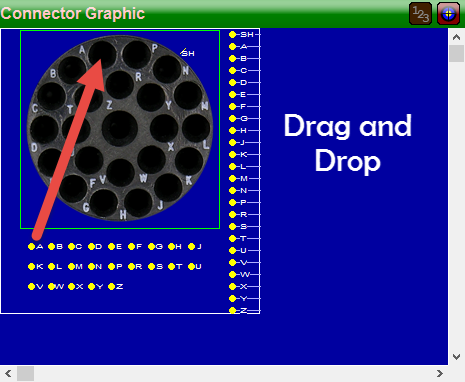
Position the reference pins in different ways. You can drag and drop individual pins using your PC mouse.
You can also click on a pin and use the arrow keys on your keyboard to move the pin one pixel at a time, for accurate positioning.
Finally, you can also use the alignment tools to move several pins at the same time.
Next Topic | Previous Topic | Top
Change Pin Type
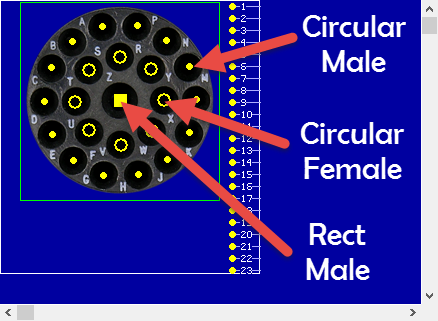
You can change the type and size of pins. Mix different pin sizes just by changing the size of the pin.
Also create those unusual connectors that have a mix of genders and types, like rectangular and circular pins.
Create Pin Patterns
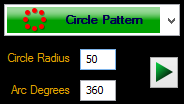
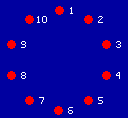
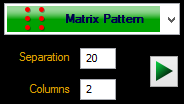
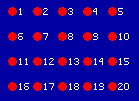
You can easily create pin patterns to match a specific configuration of your connector, without moving every pin individually.
You can create a circle of pins and define the distance between them. You can also create a matrix of n x m with the click of a single button. Then rotate, mirror or move your pattern to align it wherever you need it.